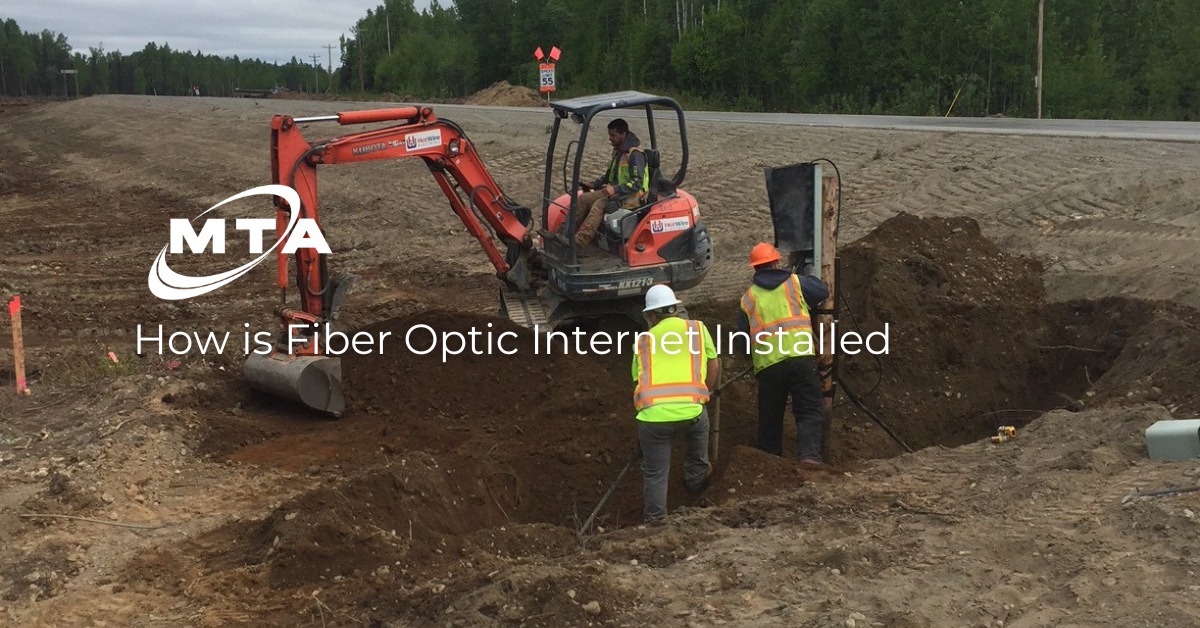
How is Fiber Optic Internet Installed?
Fiber optic internet is becoming increasingly more popular, and it’s easy to see why: it’s reliable, it’s fast, and it’s more resistant to weather-related outages compared to more traditional forms of internet, like satellite and Fixed Wireless (like 5G). Because fiber networks operate using different technology than other internet types, many people interested in fiber wonder how fiber optic internet is installed and if they need to do anything themselves before an installation appointment.
The Fiber Optic Internet Installation Process
Installing fiber internet is a multi-step process. Typically, for home installations, the process is as follows:
- A professional technician from a chosen provider will conduct a home assessment to determine the best possible way to connect your home internet to the fiber network. This can be a direct connection to the network (Fiber to the Home/FTTH) or to a nearby access point (Fiber to the Curb/FTTC and Fiber to the Neighborhood/FTTN).
- The technician begins the process of connecting the home to the network. This can involve trenching (making a shallow trench to run the fiber cables) to run cables directly to the home or attaching fiber bundles to the home via a nearby hub through coaxial cables.
- No matter which method the technician employs (FTTN, FFTC, or FTTH), the technician will install an Optical Network Terminal/ONT box inside or outside the home to connect the home with the network.
- The technician will drill a small hole into one of the home’s exterior walls to bring cables indoors.
- The technician will use an ethernet cable to directly connect the ONT to the home router’s Wide Area Network/WAN port.
- Once connected, the technician should activate and test the internet connection to ensure it’s operating correctly.
Frequently Asked Questions
How does fiber optic internet work?
Fiber optic internet works through a series of fiber optic cables, which are effectively small glass fiber bundles. These fiber lines allow digital data to be transferred between end points as light pulses, meaning that data transfers through fiber optic networks at nearly the speed of light.
Once received, light pulses are translated back into electrical signals that connected devices like laptops and cell phones can understand.
Is fiber optic better than cable internet?
Many consider new fiber optic internet services to be the way of the future since fiber optic technology offers more reliable internet connections, lower latency, and faster speeds over long distances compared to many other forms of internet, including Coax/Cable, DSL, and Fixed Wireless.
Do I need to rewire my house for fiber optic?
The answer to this question depends on the type of fiber internet connection you choose for your home.
- Fiber to the Home (FTTH). This option connects a home directly to the internet service provider (ISP), meaning no new copper cables are required and rewiring is often not necessary.
- Fiber to the Curb (FTTC). This option connects the fiber network to a curb near a home. The curb connects to the home network with coaxial cables. So long as there are preexisting copper cables in the home, rewiring is typically not necessary to create this type of fiber-optic connection.
- Fiber to the Neighborhood (FTTN). This option connects the fiber internet provider to a neighborhood hub. The hub branches out to nearby houses with coaxial cables. So long as existing wirework exists, no extensive rewiring is required.
Usually rewiring and new cable installation is only needed when existing wiring is old and unsafe or you want to run additional ethernet cables throughout the house to create stronger signals. Most providers require a trained technician to professionally connect a home to their network.
What equipment is needed for fiber optic internet installation?
Most broadband fiber internet providers need the following equipment to establish a connection:
- Fiber cables
- Optical Network Terminal (ONT)
- Router
Additional equipment that may be used to establish new service includes ethernet cables and Wi-Fi extenders.
When partnering with MTA Alaska, the entire process is quick and easy. Simply select a time and date for your fiber internet installation appointment, confirm the details, and our team will take care of the rest. That’s it!
Contact us today to learn more about how fiber optic internet is installed with MTA Alaska and how we can bring high-speed internet to your home or business.